








How to Open Demat Account in Zerodha in 10 Minutes — Before the Next Market Rally
In This Article
ToggleHow to Open Demat Account in Zerodha (2026 Guide – Free, Fast & Beginner-Friendly)
Everything a first-time investor in India needs to know — documents, charges, KYC process, common mistakes, and what to do immediately after your account is activated.
AK
Amit K. Sharma
Mint & Print Financial Studies
Quick Answer
To open a Zerodha demat account in 2026: visit signup.zerodha.com → enter mobile number → verify Aadhaar via Digilocker → enter PAN → link bank account → complete IPV verification → e-sign. The entire process is free and takes 10–15 minutes. Your account is activated within 24 hours.
₹0
Account opening fee
15 min
Time to complete
24 hrs
Activation time
₹300/yr
AMC (non-BSDA)
If you have ever searched "how to open demat account in Zerodha" and landed on a confusing page full of jargon, you are not alone. Every week, thousands of first-time investors in India ask the same question — and most of them give up halfway through because the process feels complicated. It really is not.
I have been through this process myself and guided hundreds of beginners through it. In this guide, I am going to walk you through the exact steps to open a Zerodha demat account in 2026, in plain language, with every detail you actually need.
By the end of this article, your account will be ready, and you will know exactly how to start your investing journey the right way.
1. What is a Demat Account — and Why Do You Need One?
Before we jump into the steps, let us spend two minutes understanding what a demat account actually is — because most beginner guides skip this part entirely.
Think of a demat account as your digital locker for financial assets. Just like your bank account holds your money, a demat account holds your shares, mutual funds, bonds, and other securities in electronic form. The word "demat" comes from dematerialisation — the process of converting physical share certificates into digital holdings.
In India, you cannot buy or sell shares on the NSE or BSE without a demat account. It is mandatory under SEBI regulations. When you buy a stock, the shares get credited to your demat account. When you sell, they get debited. Simple as that.
Zerodha combines a demat account and a trading account into a single 2-in-1 account. The trading account is what you use to place buy and sell orders. The demat account is where your purchased securities actually sit. You need both — and Zerodha opens them together in one process.
2. Why Zerodha is the Right Choice for Beginners in 2026
There are over 15 stock brokers in India offering demat accounts in 2026. So why should a beginner choose Zerodha? Here is what makes it stand out — and I am not saying this just because everyone else says it:
Why Zerodha works for beginners
- Zero brokerage on delivery trades
- Clean, simple Kite app interface
- India's largest broker — 1.5 crore+ clients
- Free education via Zerodha Varsity
- SEBI registered, NSE & BSE member
- Free account opening (since June 2024)
- Coin for direct mutual funds — no commission
Where Zerodha has limitations
- No research reports or stock tips
- Customer support can be slow at times
- NRI accounts are offline only
- No 3-in-1 account with bank integration
- Call & Trade charges are higher than some peers
For a beginner who wants to learn and invest at the same time, Zerodha's combination of zero delivery brokerage, a clean platform, and Varsity's free financial education makes it genuinely hard to beat.
3. Documents Required to Open a Zerodha Account in 2026
Before you start the process, keep these documents ready. The entire process is paperless and digital — but you need these to complete KYC.
| Document | Purpose | Required? | Format |
|---|---|---|---|
| PAN Card | Identity & tax compliance (SEBI mandatory) | Mandatory | PAN number + DOB |
| Aadhaar Card | KYC via Digilocker (linked to mobile) | Mandatory | Mobile-linked Aadhaar |
| Bank Account Details | Fund transfers & withdrawals | Mandatory | Cancelled cheque OR bank statement with IFSC |
| Signature on white paper | e-Sign / identity verification | Mandatory | Photo of signature on plain white paper |
| Income Proof | Only if enabling F&O / Derivatives trading | Conditional | 6-month bank statement or latest ITR |
Important: Your Aadhaar must be linked to your mobile number to complete online KYC. If it is not linked, you cannot open a Zerodha account online — you will need to follow the offline process which involves physical forms sent by courier.
Tip for beginners: When opening the account, Zerodha asks you to choose trading segments — Equity, F&O, Currency, Commodity. If you are just starting out, select only Equity (Delivery + Intraday). You can always add other segments later from your Console settings.
4. Zerodha Charges 2026 — Complete Breakdown
One of the most searched questions around Zerodha account opening in 2026 is about charges. Here is the full picture — no hidden fees, no surprises:
| Charge | Amount | Notes |
|---|---|---|
| Account Opening | FREE | Free for all (since June 2024). Free for under-25 investors too. |
| Annual Maintenance (AMC) — Non-BSDA | ₹300/year + 18% GST | Charged quarterly at ₹75 + GST every 91 days |
| AMC — BSDA (holdings < ₹4 lakh) | ZERO | Only if you have one demat account with your PAN |
| AMC — BSDA (holdings ₹4–10 lakh) | ₹100/year | ₹25 per quarter |
| Delivery Brokerage | ZERO | No brokerage when you buy and hold stocks |
| Intraday / F&O Brokerage | ₹20 per executed order | Or 0.03% whichever is lower |
| DP Charge (on each sell) | ₹15.34 incl. GST | Per ISIN per day — charged by CDSL, not Zerodha |
How to get ZERO AMC: If your total portfolio holdings are below ₹4 lakh and you have only one demat account registered against your PAN across all brokers, your Zerodha account automatically qualifies as a BSDA (Basic Services Demat Account) — and you pay absolutely no AMC. This is perfect for beginners just starting out.
5. Step-by-Step Process to Open Your Zerodha Demat Account in 2026
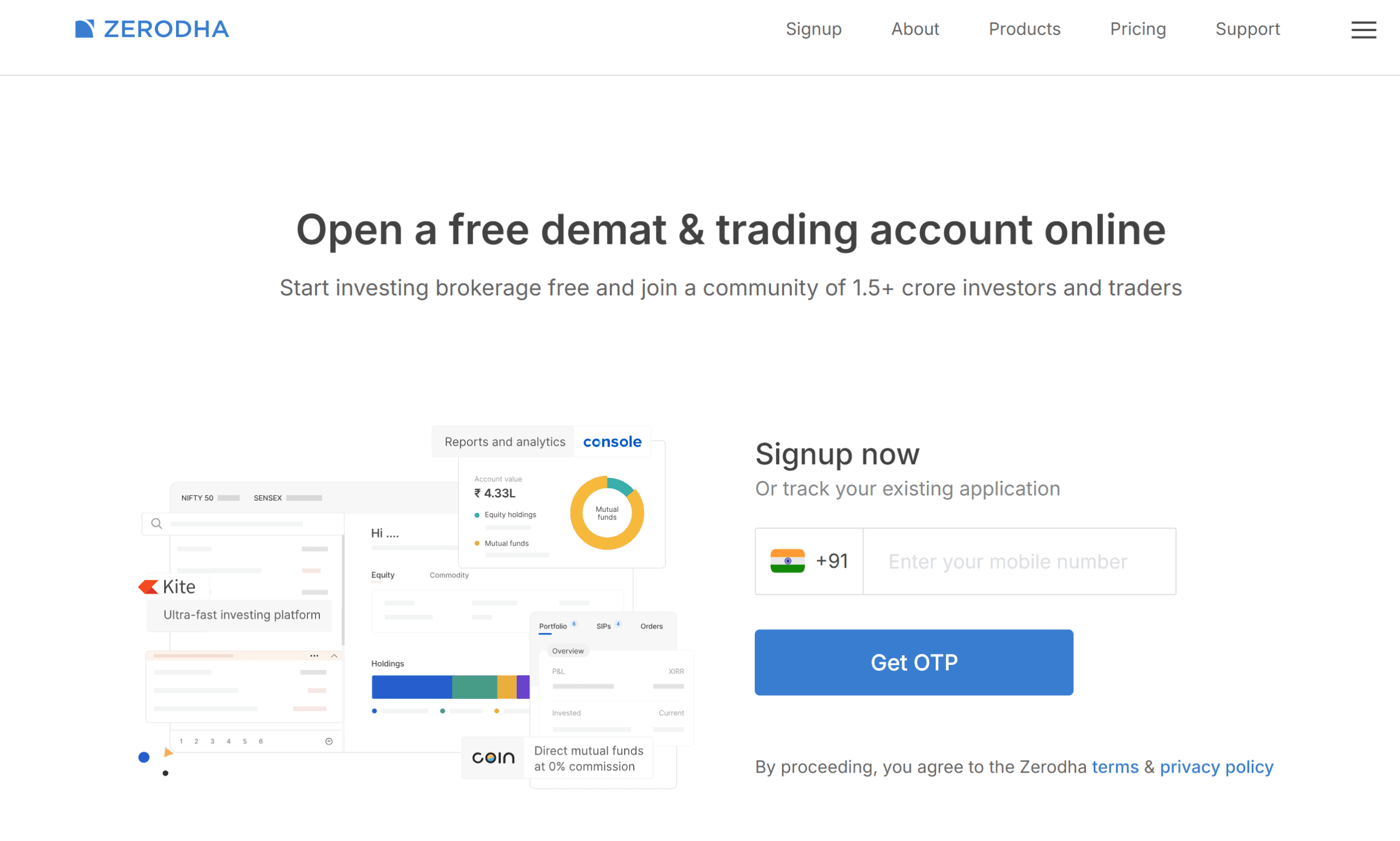
Now for the main event. Here is the complete Zerodha account opening process — exactly as it looks in 2026. Follow these steps on your phone or laptop.
-
1
Visit the Zerodha signup page
Open your browser and go to signup.zerodha.com — or download the Kite app from Google Play / App Store. Both lead to the same process. Tap "Open an account" to begin.
💡 Use Chrome or Safari for the smoothest experience. Avoid third-party browsers. -
2
Enter your mobile number and verify with OTP
Enter your mobile number that is linked to your Aadhaar. Zerodha will send an OTP to this number. Enter it to proceed. This number becomes your registered contact for all account communications.
⚠️ Use the same mobile number linked with Aadhaar — a mismatch will cause KYC failure. -
3
Verify your email address
Enter your email ID and verify it with an OTP sent to your inbox. You can also sign in with Gmail to speed this step up. Your email is used for contract notes, account statements, and important alerts.
-
4
Enter PAN number and date of birth
Type your 10-digit PAN card number and your date of birth exactly as on your PAN. Zerodha validates this against NSDL records instantly. Any mismatch — even a date format error — will reject the step.
💡 Double-check the date format: DD/MM/YYYY. It is a common mistake. -
5
Select your trading segments
Zerodha will ask which segments you want access to: Equity, F&O, Currency, Commodity. For most beginners, select Equity only. If you want F&O access, you will need to upload income proof (bank statement or ITR).
-
6
Complete Aadhaar KYC via Digilocker
This is the most important step. Zerodha will redirect you to Digilocker. Log in with your Aadhaar number and enter the OTP sent to your Aadhaar-linked mobile. Click "Allow" to share your Aadhaar data with Zerodha. This completes your KYC electronically — no physical documents needed.
💡 Zerodha only receives your name and address from Digilocker — it does not see or store your Aadhaar number. -
7
Fill your personal profile details
Update your profile: father's name, mother's name, annual income range, occupation, trading experience, and political exposure status (answer No for most people). Fill this honestly — it is a SEBI compliance requirement.
-
8
Link your bank account
Enter your bank account number and IFSC code, or link via UPI ID. Upload a cancelled cheque or a bank statement showing your name, account number, MICR code, and IFSC. This is mandatory for fund transfers.
💡 Make sure your name on the bank account matches your PAN and Aadhaar exactly — even small differences cause rejections. -
9
Complete In-Person Verification (IPV)
For SEBI compliance, Zerodha requires a quick video verification. A number appears on your screen — write it on a white piece of paper, hold it up to your phone's front camera, and follow the on-screen instructions. The whole thing takes under a minute.
-
10
Upload your signature
Sign your name on a clean white paper with a pen, take a clear photo of it, and upload it. This becomes your digital signature on record with the depository.
-
11
e-Sign your application via Aadhaar OTP
Review all your entered details, then click "e-Sign". You will be redirected to Zerodha's signing partner (Digio). Enter your Aadhaar number, receive an OTP, and submit. This is your legal electronic signature on the account opening form — equivalent to a physical signature.
✅ After this step, your application is complete. You will get a confirmation on screen and an email.
Account activation timeline: Once you submit your application, Zerodha typically activates your account within 24 hours on working days. You will receive your User ID (client ID) and login credentials via email. The account gets fully activated after Zerodha's back-office team verifies your documents.
6. What to Do Immediately After Your Account is Activated
Most guides end at the account opening step — but what you do in the first 48 hours after activation sets the tone for your entire investing journey. Here is what I recommend:
-
1Log in to Kite and set your password: You will receive a User ID (like ZZ1234) and a one-time password. Log in at kite.zerodha.com, change your password immediately, and set up 2FA (two-factor authentication) for security.
-
2Set your CDSL TPIN: This is a separate 6-digit PIN required to authorise selling of shares from your demat account. Go to Console → Account → Demat → Generate TPIN. Without this, you cannot sell shares.
-
3Add funds to your trading account: Transfer a small amount — even ₹500 or ₹1,000 — via UPI or net banking through the "Add Funds" option in Kite. This activates your trading account for actual transactions.
-
4Explore Zerodha Varsity: Varsity (varsity.zerodha.com) is Zerodha's free educational platform. Before placing your first trade, go through the "Stock Market Basics" module. It takes about 2 hours and is genuinely excellent.
-
5Set up Zerodha Coin for mutual funds: If you want to start a SIP, activate Coin from the Kite app. It lets you invest in direct mutual funds with zero commission — saving you 1–2% annually compared to regular funds.
7. Common Mistakes Beginners Make While Opening a Zerodha Account
I have seen these mistakes come up repeatedly, both from readers of this blog and from people I have mentored personally:
Mistake 1 — Mobile number mismatch: Using a mobile number that is NOT linked to Aadhaar. The entire KYC process relies on OTP verification via your Aadhaar-linked number. If they don't match, your application gets stuck.
Mistake 2 — Name mismatch across documents: Your name on PAN, Aadhaar, and bank account must be identical. Even "Amit Kumar" vs "Amit K." can cause a rejection. Verify this before you start.
Mistake 3 — Enabling all trading segments on day one: New investors who enable F&O or currency derivatives without experience often end up with unexpected losses. Start with equity delivery only.
Mistake 4 — Not setting CDSL TPIN after account activation: Many new users are surprised when they cannot sell their shares. Setting the CDSL TPIN is a separate step that most beginners miss entirely.
Mistake 5 — Uploading a blurry bank document: If the MICR code, IFSC, or account number on your cancelled cheque or bank statement is not clearly readable, Zerodha's team will reject the document, delaying your account activation by 2–3 days.
8. Pro Tips from a NISM Certified Educator
These are things nobody tells you when you open your first demat account — but they matter a lot once you start investing:
-
★Keep your holdings under ₹4 lakh initially to get BSDA status and zero AMC. As a beginner building a small portfolio, you likely qualify automatically. Check Console → Account → Demat to confirm your BSDA status.
-
★Never keep excess funds in your Zerodha trading account overnight. Only transfer what you need for your next trade. Withdraw remaining funds back to your bank account regularly.
-
★Your first investment should be an index fund, not a stock. The Nifty 50 index fund through Zerodha Coin is one of the safest starting points. Build a base before picking individual stocks.
-
★Download your account statement from Console every quarter. Track your P&L, understand DP charges, and keep records for ITR filing. Most beginners discover tax surprises only at year-end.
-
★Do not open multiple demat accounts until you genuinely need one. Opening a second account removes your BSDA status and starts AMC charges on both accounts. One is enough to start with.
9. Frequently Asked Questions — Zerodha Demat Account 2026
These are the questions most commonly searched by beginners opening a Zerodha demat account in India:
-
How much does it cost to open a Zerodha demat account in 2026?Opening a Zerodha demat account is completely free in 2026. Zerodha removed account opening fees for all resident Indians in June 2024. The only ongoing charge is the AMC of ₹300/year + GST for non-BSDA accounts — but if your holdings are below ₹4 lakh, even this is zero.
-
How long does Zerodha account activation take?Most applications are activated within 24 hours on working days. In some cases, if documents need manual verification, it can take up to 48 hours. You will get your User ID and login credentials by email once activated.
-
Can I open a Zerodha account without Aadhaar linked to my mobile?No. Online Zerodha account opening requires Aadhaar to be linked to your mobile for OTP-based KYC through Digilocker. If your Aadhaar is not mobile-linked, you must use the offline account opening process — which involves downloading physical forms and sending them by courier to Zerodha's Bangalore office.
-
What is the minimum amount needed to start investing on Zerodha?There is no minimum deposit to open or maintain a Zerodha account. You can start investing with as little as ₹1 if you are buying fractional ETF units or starting a SIP through Coin. For buying individual stocks, the minimum is just the price of one share.
-
Is Zerodha safe? Is my money secure?Yes, Zerodha is one of the safest brokers in India. It is SEBI registered, a member of NSE and BSE, and a depository participant with CDSL. Your shares are held in your demat account (not Zerodha's), so even if Zerodha were to shut down, your securities would remain safe with CDSL. Zerodha also uses 2FA and SSL encryption for all transactions.
-
Can I open a Zerodha account on mobile?Yes, the entire process works on mobile. Download the Kite app from Google Play or the App Store, or open signup.zerodha.com in your phone's browser. The mobile process is identical to the desktop process.
-
Can I use a Zerodha demat account to invest in mutual funds?Yes. Zerodha offers Coin — a direct mutual fund platform — built into its ecosystem. You can start SIPs and lump sum investments in direct mutual funds with zero commission. Direct funds give you 1–2% more returns annually compared to regular funds.
-
What is CDSL TPIN and why is it needed?CDSL TPIN is a 6-digit PIN required to authorise the debit of shares from your demat account when you sell. It is a SEBI-mandated security measure to prevent unauthorised selling of your holdings. You set it up separately from your Kite login password, through the CDSL portal linked from Console.
-
How to avoid AMC charges on Zerodha?Your account automatically qualifies as BSDA (Basic Services Demat Account) with zero AMC if: (1) your total holdings are below ₹4 lakh, and (2) you have only one demat account registered against your PAN across all brokers. Check your BSDA status in Console → Account → Demat.
-
Zerodha demat account kaise khole? (How to open Zerodha demat account in Hindi)Zerodha mein demat account kholne ke liye: signup.zerodha.com par jaayein → apna mobile number dalein (Aadhaar se linked) → OTP verify karein → PAN number aur date of birth dalein → Digilocker se Aadhaar KYC complete karein → bank account link karein → IPV verification karein → e-sign karein. Poora process free hai aur 15 minute mein complete hota hai.
Ready to Start Your Investment Journey?
Opening a Zerodha demat account is genuinely the easiest part of investing. The harder — and more rewarding — part is developing the discipline to invest consistently, understand what you are buying, and not panic when markets fall.
Now that your account is set up (or almost set up), here is what I recommend as your next step: read our guide on how to start a SIP in mutual funds — it is the single best thing a beginner investor in India can do with their first ₹500.
If you have any questions about the account opening process or got stuck at any step, drop them in the comments below. I read and reply to every one.
— Amit K. Sharma, Mint & Print Financial Studies
About the author
Amit K. Sharma — NISM Certified Financial Educator
Amit is the founder of Mint & Print Financial Studies, a stock market learning platform built to make investing accessible for every Indian beginner. With NISM certification and hands-on market experience, he writes research-backed guides on investing, trading, and personal finance.
NISM Certified — Yes
SEBI Registered — No
Disclaimer: All content on mintandprint.co.in is for educational purposes only. It does not constitute financial, investment, or legal advice. Please consult a SEBI-registered advisor before making any investment decisions.
Continue learning on Mint & Print Financial Studies
Investing Basics
How to Start SIP in Mutual Funds: A Complete Beginner's Guide (2026)
Fundamental Analysis
7 Smart PE Ratio Meaning Tips for Better Stock Valuation
Personal Finance
How to Save Money in India from Salary – Beginner's Guide 2026
Technical Analysis
Technical Analysis in Trading: A Complete Guide to Smarter Decisions
If you're wondering how to open Demat account in Zerodha, this step-by-step 2026 guide covers everything you need to get started. From the complete Zerodha account opening process and online KYC verification to documents required and detailed charges, you’ll find it all explained in a simple way. Learning how to open Demat account in Zerodha step by step has become easier than ever, as the entire process is now fast, free, and fully digital in India. Whether you are a beginner or new investor, understanding how to open Demat account in Zerodha will help you start investing confidently. Once your account is set up, you can begin your journey in the stock market and work toward long-term wealth creation with Zerodha.
In short: learning how to open demat account in Zerodha is the easiest way to begin investing in India in 2026.
Here are the top 10 queries searched by internet users for opening a demat account with Zerodha:
1. Is Zerodha account opening free?
2. What are the documents required to open a Zerodha account?
To open an account online, you generally need your PAN card, Aadhaar card (linked to your active mobile number for OTP), a bank statement or cancelled cheque for linking your bank account, and a scanned signature. Income proof is only required if you want to trade in Futures & Options (F&O). [, 2]
3. How long does it take to open a demat account with Zerodha?
4. What is the process to open a Zerodha Demat account online?
The completely paperless online process can be completed via the official website or mobile app. It involves verifying your mobile and email via OTP, authenticating your KYC details via DigiLocker, recording a short webcam In-Person Verification (IPV) video, and e-signing with your Aadhaar. [1, 2, 3, 5]
5. What are the AMC (Annual Maintenance Charges) for Zerodha?
6. Can I open a Zerodha account if my mobile number is not linked to Aadhaar?
7. How can I check my Zerodha account opening status?
8. Is there any minimum balance required to maintain a Zerodha account?
No, there is no minimum deposit or minimum balance required to start investing or keep your Zerodha account active. [1]
9. Can I open both a Trading and Demat Account at the same time?
Yes, when you sign up using the Zerodha Account Opening Page, you are given the option to open a combined Trading and Demat Account, which is required if you want to buy and hold stocks overnight. [1]
10. Can NRIs open a Demat account with Zerodha?
Yes, Non-Resident Indians (NRIs) can open an account with Zerodha. However, the process requires physical documents, and specific rules apply, which are detailed in the Zerodha NRI Account Opening Section. [1, 2, 3]









Post Comment